Address
304 North Cardinal St.
Dorchester Center, MA 02124
Work Hours
Monday to Friday: 7AM - 7PM
Weekend: 10AM - 5PM

Address
304 North Cardinal St.
Dorchester Center, MA 02124
Work Hours
Monday to Friday: 7AM - 7PM
Weekend: 10AM - 5PM
Building judgement and capability in complex information environments
Building judgement and capability in complex information environments

 ByKayO
Although QR codes have long been used in Japan, where they originated, it took a global pandemic for their widespread usage to be taken up in Australia. As shops, government agencies and other public places scrambled to track and manage the spread of the COVID-19 virus, the little black and white square became ubiquitous with ‘checking in’ – a procedure enforced before entry into any enclosed public space. Although those days are seemingly behind us, QR codes remain in common use, as restaurants and cafes implement online menu and ordering systems accessible via a QR code, and as a shortcut to access resources or information online.
Photo by Albert Hu on Unsplash
It is not surprising that as our propensity and comfort with scanning any QR code we see to access the information we need grows, so too do the ways in which scammers and spammers seek to take advantage of distracted users. This article published earlier this year on Mashable highlights just some of the ways people have been caught out scanning QR codes that misdirect to fraudulent websites. Reading this article made me wonder just how much educators know about what QR codes actually are, and whether they are sharing this knowledge with students. With something as simple as scanning a QR code, it can be easy to forget the importance of understanding what exactly the code is, how it is used and what to look out for when using them. So here’s a primer – and some ideas for how we might take advantage of this convenient technology in the classroom or school library.
QR (Quick Response) codes are basically a form of barcode, exactly like those found on grocery items or library books. The difference between traditional barcodes and QR codes is that traditional barcodes are one dimensional (ID or linear), and can only be read horizontally, while QR codes are two dimensional and can be read vertically and horizontally – therefore they can contain much more information that a regular barcode – in fact up to 4296 characters (numeric, alphabetical, or Kanji (Japanese/Chinese symbols) vs only 20 digits of data in a 1D code.

A short piece of text, a website address, an image or a soundfile are just some of the types of information that can be stored in a QR code. In Japan, where QR codes originated, they are on most business cards – providing a link to a Google Map of where to find the business, or the business website in most cases, so users can simply scan the code with their phone to get direct access to information.
A 1D barcode depends upon a related database to be useful. For example, in a school library, the barcode, when scanned, will relate the physical item being borrowed to the record of that item in the library management system. A QR code does not have this dependency, as it can store a variety of different types of information. Of course, a QR code containing a hyperlink must relate to a URL that actually exists, however QR codes can host stand alone data such as a voice recording or image which does not direct the user anywhere else.
Originally, smartphones needed to have a code scanner as a downloadable app installed to read QR codes, but today’s phones will read QR codes through the camera.
There are many websites that generate QR codes – one of the easiest is QR Code Monkey, which is completely free and allows you to create QR codes with different colours, logos or shapes.
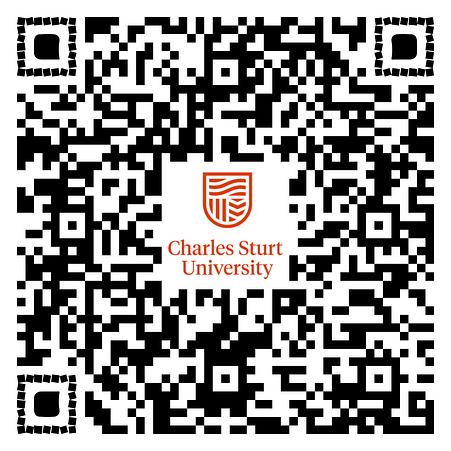
It’s tempting to scan a QR code whenever you see one, however just as we teach students not to blindly click on a weblink (particularly when made available by an unknown source), so too should we be making students aware of possible consequences of scanning a QR code without first considering its provenance. Here are some tips which are sure to prompt student discussion:
While cases of QR codes being misused are rare, it is important to discuss what to look for, and to ensure there is a clear understanding of what a QR code is and how it could (and should) be used.
The options are endless, and these tiny tools are incredibly useful! Even if students are not permitted to use their phones at school, there are many ways they can be implemented. Even the youngest students can benefit; a QR code on a card worn with a lanyard can be held up to a webcam for super easy logging into learning platforms or educational websites, and an iPad can also become a QR code scanner suitable for small hands.
Here are just some ideas; leave your own experiences using QR codes in the comments!
Here’s a great video about how to use QR codes to make a listening centre:
An inspiring story of how QR codes are being used to provide access to banned books to students in the US – thankfully in Australia we are not yet in this situation, but important viewing nonetheless.
Another innovative idea, not so vital currently but good to remember if social distancing is ever needed again.
As said earlier…if you are using QR codes, or have ideas on how they might be used creatively, share them below in the comments section…it would be great to share what everyone is doing!